
How to get your business on Google Search and Maps
Get your business on Google for free: create a Business Profile, add a website link, keep details consistent, add photos and reviews, and know what to expect.
caart team · · Updated · 4 min read
Key points
- For a local shop, Google Business Profile matters most. It is free and puts you on Search and Maps.
- Link your profile to a website or shop page that lists what you sell.
- Keep your name, address and phone exactly the same everywhere.
- Photos, current hours and real reviews help. Results take weeks or months, not days.
When someone nearby searches for "cake shop near me" or your shop's name, Google shows a map with a few local businesses. Getting your business on Google, in that list and on Maps, is one of the most useful things a small shop can do online, and the main steps are free.
Nobody can promise you a top position. What you can do is give Google complete, consistent and current information about your business. Here is how.
Step 1: Put your business on Google Maps with a Business Profile
Google Business Profile is the listing that appears on Google Search and Maps. Create it with your Google account, and enter:
- your business name, exactly as it appears on your signboard
- your category, chosen carefully: "Bakery" rather than "Store"
- your address, or your service area if you deliver and have no shop front
- your phone number and opening hours
Google then asks you to verify that the business is yours. The profile doesn't show publicly until it is verified, so finish this step.
Step 2: Add a website link
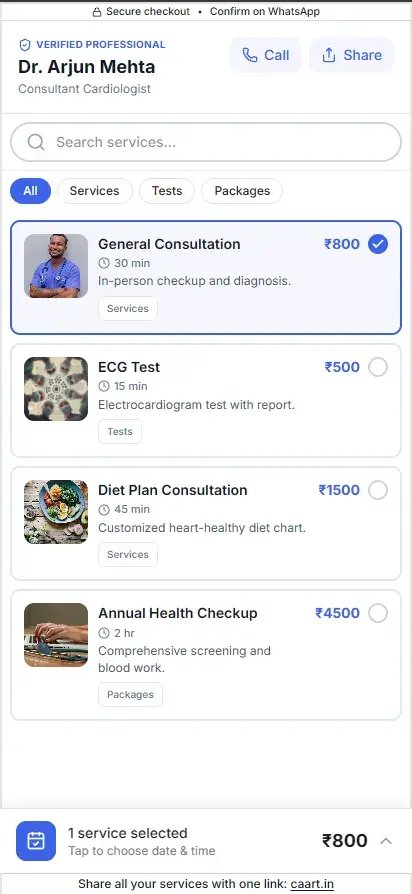
Your profile has a website field. A page that lists what you sell, with prices, helps customers decide, and helps Google understand your business. If you don't have a website, your online shop link works well here. Customers can tap from Maps straight to your menu.
Step 3: Keep your details the same everywhere
Use the same name, address and phone number on your Business Profile, your website, Instagram, Justdial and anywhere else you are listed. Small differences, such as an old phone number, make it harder for Google to be sure the listings are the same business.
Step 4: Add photos and keep them fresh
Add photos of your shop front (so people can find it), the inside, your products and your team. Add a few new ones each month, for example a festive range. Use your own photos, not stock images.
Step 5: Ask for reviews, honestly
Reviews help both customers and your visibility. Ask happy customers to leave one, for example with a line in your order confirmation and a link from your profile. Reply to every review, including the bad ones, politely and briefly.
Step 6: Get your business website on Google Search
If your shop page has its own address, a few simple things help it appear in search:
- your shop name and area in the shop description, such as "Home bakery in Salt Lake, Kolkata"
- clear product names, like "Eggless chocolate cake 1 kg", not "Item 12"
- a page that loads quickly on a phone
- links to it from your Business Profile, Instagram bio and WhatsApp (see how to sell products on Instagram)
Every published caart shop is a web page with its own address, and we submit it to Google so it can be crawled. Showing up for searches still depends on the steps above.
Step 7: Keep it current, and be patient
Update your hours for holidays, mark special hours for festivals, and post updates when you add products. A new listing or website often takes weeks or months to show up for competitive searches. Searches for your exact shop name usually come first.
Common questions about getting on Google
How long does Google Business Profile verification take?
It depends on the method Google offers you, such as a phone call, text, email, video recording or postcard. Phone, text and email can be quick. Video and postcard checks often take a few days, and sometimes longer. Google chooses which methods you see, so finish whichever one appears and don't edit your details while it is being reviewed.
Can I list a home business on Google Maps without a shop?
Yes. If you deliver or visit customers and don't want people coming to your home, set up a service-area business. You give your address to Google for verification, hide it from your public profile, and choose the areas you serve instead. A home bakery that only delivers is a common example.
Why is my business not showing on Google Maps?
The usual reasons are that the profile is not verified yet, it was suspended for a policy issue, or it is new and Google is still checking it. Search for your exact business name first, since that shows up before general searches like "bakery near me". Also check that your name, category and address match what is on your signboard and website.
Give Google, and customers, a page to land on
A caart shop gives your Business Profile a website link with your full menu and prices, where customers can order straight to your WhatsApp. See the demos or create your shop.