
How to create a free QR code menu for your shop
Make a free QR code menu that opens your live menu on any phone: what the code should link to, how to print a QR menu card, where to place it and how to test it.
caart team · · Updated · 4 min read
Key points
- A QR code menu is a printed code that opens your menu on the customer's phone.
- Link the code to a page you can edit, never to a PDF or image file.
- Print it large enough, with a short line telling people what it does.
- Test it on two or three phones before you print many copies.
A QR code menu lets a customer point their phone camera at a code and see your menu. Current Android phones and iPhones can scan a QR code from the camera app, so there is nothing to install. For a shop, it does two jobs: customers can browse while they wait, and they can order again later from home.
Step 1: Decide what the code opens
This is the most important choice. A QR code only stores a web address. If it opens a PDF and your prices change, you have to print new codes. If it opens a page you can edit, the same printed code keeps working for years.
So link your QR code to a menu page, not a file. Good options are:
- an online shop or menu page where you can change items and prices
- your WhatsApp Business catalogue link, if you only use the catalogue
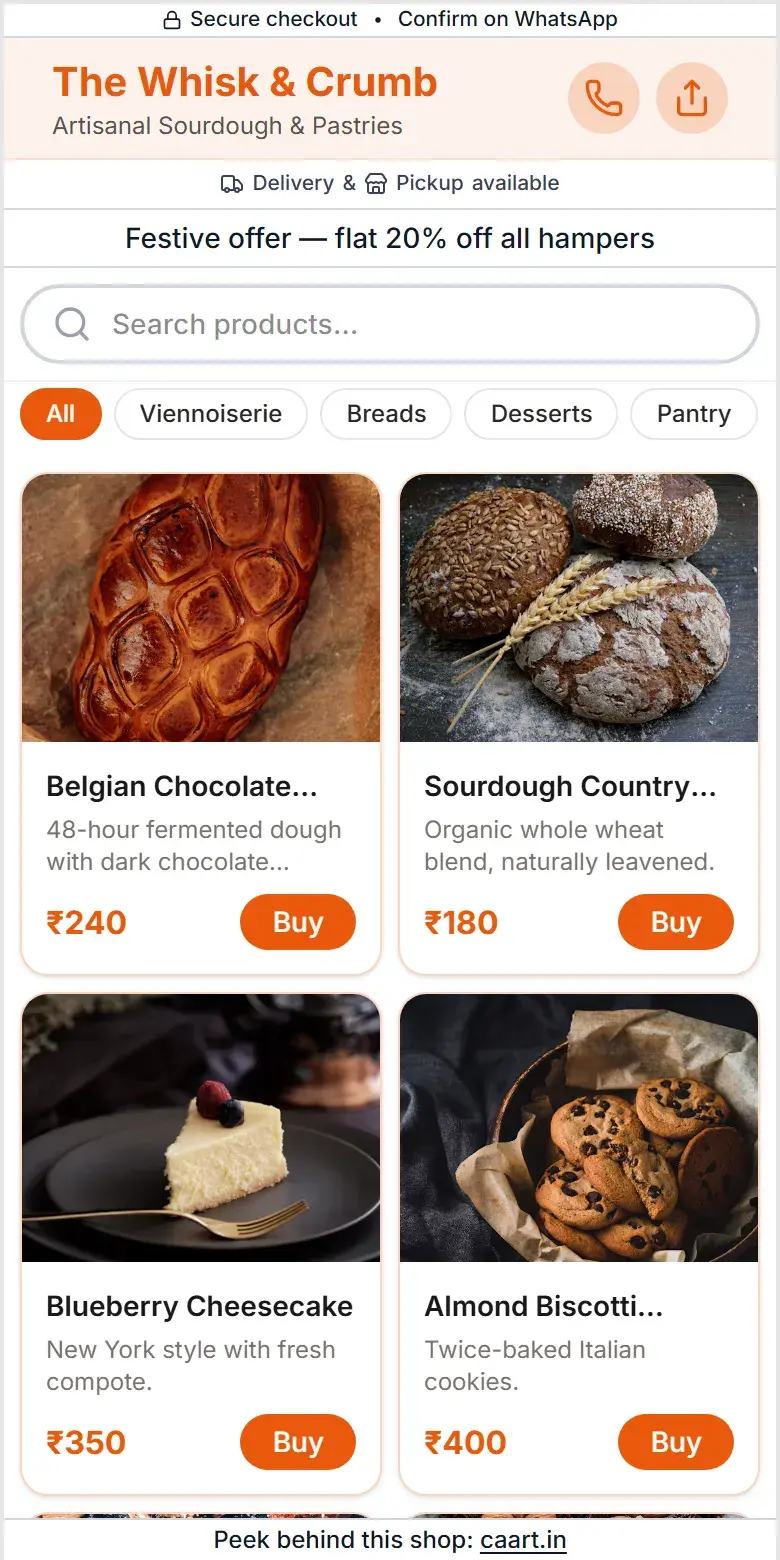
With caart, the code opens your shop. Customers can browse, add items to a cart and send the order to your WhatsApp, at the counter or later from home.
Step 2: Create a QR code for your menu link
Making the code itself is free. Most QR generators work the same way: paste your link, download an image. A few things to check:
- Static, not "dynamic", unless you trust the provider. Some free generators send scans through their own short link and can switch it off later. A static code holds your address directly.
- High contrast. Dark code on a light background. Coloured codes scan, but test them.
- A quiet border. Leave white space around the code, or phones may not read it.
In caart, the QR page in your dashboard makes the code for you and places it on ready-made designs: a shop poster for the counter, and story-sized images for WhatsApp status, Instagram and Facebook.
Step 3: Add a line that says what to do
A bare code is easy to ignore. Add one short line above it, for example "Scan to see our menu and order on WhatsApp", plus your shop name. If there is room, print the web address under the code for people who prefer to type it.
Step 4: Print a QR code menu card the right size
As a rough guide, a code about 3 to 4 cm wide works on a table or counter at arm's length. Make it bigger for a wall, a window or anything people see from a distance. Laminate counter copies, because they get handled.
Step 5: Put it where people wait
- next to the billing counter
- on tables, if customers sit
- on the shop window or door, for people passing after hours
- on bags, boxes and bills, so customers can reorder from home
- on your visiting card
- online too: the same link works in your WhatsApp Status and Instagram bio (see how to share your shop link on WhatsApp)
Step 6: Test before you print many
Scan the printed code with two or three different phones, in the light where it will hang. Check that it opens the right page and that the page loads quickly on mobile data.
Common questions about QR code menus
Do QR codes expire?
A static QR code does not expire. It holds your web address directly and works for as long as that address works. A "dynamic" code from a generator sends scans through the provider's own short link first. If the provider ends its free plan or shuts down, the code stops working, so check the terms before you print.
Can I use my UPI QR code as a menu?
No. A UPI QR code opens the customer's payment app and can only be used to pay you. A menu QR code opens a web page. Keep them as two separate codes, clearly labelled, for example "Scan for menu" and "Scan to pay", so customers don't scan the wrong one.
Is a QR code menu only for restaurants?
No. Any shop where customers choose from a list can use one: bakeries, sweet shops, boutiques, salons and clinics with a price list. It is just as useful on a bag, a box or a visiting card, where it lets customers reorder from home.
Get a QR menu with your shop
Every caart shop, on the paid plan, comes with a QR code and a printable poster, linked to a menu you can update from your phone. Customers who scan it can order, and the order arrives on your WhatsApp. See how bakeries use it, open a demo shop, or create your shop.