
How to share your shop link on WhatsApp and Status
Where to share your website or shop link on WhatsApp: business profile, greeting message, quick replies, Status, broadcasts and groups, with sample messages.
caart team · · Updated · 4 min read
Key points
- Put your shop link in your business profile and greeting message first. They work without any effort after setup.
- Save a quick reply with the link, so you can send it in two taps.
- Post a status when you add new items, using an image with your QR code.
- Use broadcast lists sparingly, and only for people who want updates.
You have an online shop. Now customers need to open it. WhatsApp is the easiest place to share your shop link, because the people most likely to order already have your number. Here is every place to put your link, in the order that matters.
1. Your business profile
In the WhatsApp Business app, open your business profile and add your shop link in the website field. Anyone who taps your name sees it. Fill in your address, hours and a one-line description too.
2. Your greeting message
The greeting message goes automatically to people who message you for the first time, or after a long gap. It is the best place for your link:
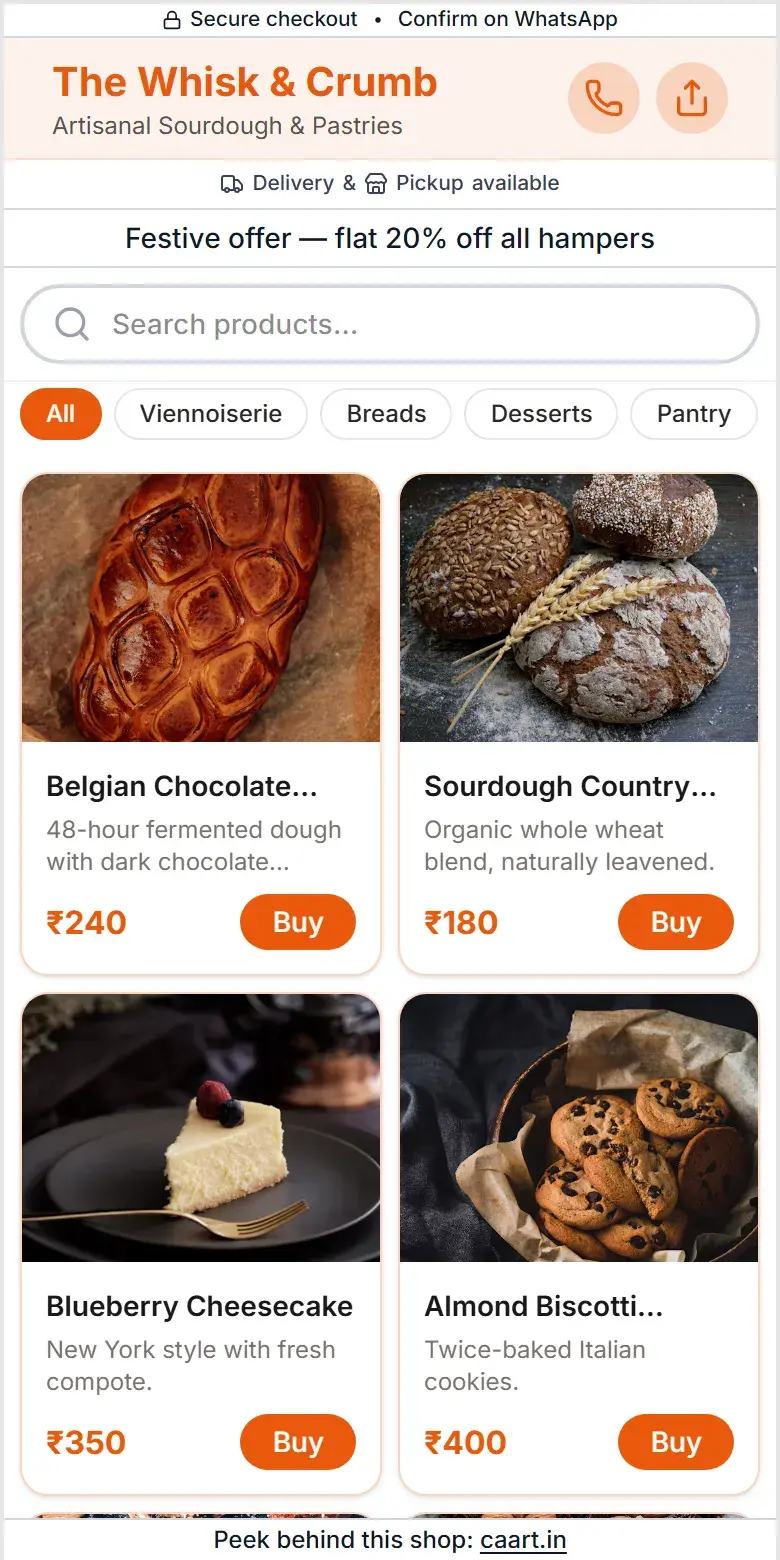
Hi, thanks for messaging Whisk & Crumb! See today's menu and order here: caart.in/s/your-shop. We deliver within 5 km, or you can pick up from the shop.
Keep it short. One link, one line about delivery or pickup.
3. A quick reply
Quick replies let you send a saved message by typing a shortcut, such as /menu. Save one with your link, so answering "what do you have?" takes two taps:
Here's our full menu with prices: caart.in/s/your-shop. Add what you like and tap send, the order comes straight to this chat.
4. Share your website link on WhatsApp Status
Status is where regulars see what's new. Post when you add items, run an offer or have a festive range. An image works better than a bare link. The caart dashboard makes a status-sized image with your shop name and QR code, and the share button opens WhatsApp's share sheet so you can post it directly.
5. Broadcast lists
A broadcast list sends one message to many contacts, and each person receives it as a private message from you. Only contacts who have saved your number receive it. Use it for things people actually want, such as a new collection or a festive order deadline, not daily promotions. Too many messages and people block you.
6. Group chats you already belong to
Housing society, school parent and community groups often allow local sellers to post. Read the group rules first. One clear message with a photo, a price range and your link is better than repeated posts.
7. On every order confirmation
When you confirm an order, add the link at the end: "Save this link for next time". It turns a one-time buyer into a repeat customer who orders without asking for the menu.
What makes people tap
- Say what's behind the link: "today's menu with prices", not just "visit our shop".
- Use your shop name in the address, so people trust the link.
- Send it only when it helps. A link in reply to a question gets opened.
Common questions about sharing links on WhatsApp
How do I create a link that opens a WhatsApp chat with my number?
Write https://wa.me/ and add your full number straight after it: for an Indian number, that is 91 followed by your 10-digit mobile number, with no spaces, plus sign, dashes or leading zero. Anyone who taps it gets a chat with you, without saving your number first. Put it on Instagram, Google and your website.
Why is my link not clickable on WhatsApp?
WhatsApp turns text into a link only when it recognises a web address. Write the full address, ideally starting with https://, with no space inside it and no punctuation stuck to the end. If you copy the link from your browser's address bar, it is already in the right form.
How often should I post my shop on WhatsApp Status?
Post when there is something new to show, such as fresh stock, a festive range or an order deadline. A few posts a week is plenty for most shops. If every status is the same "order now" message, people stop looking.
Start with a link worth sharing
A caart shop gives you a short link with your shop name, a QR code and status images ready to post. Customers order from the link and the order arrives back in the same WhatsApp chat. Learn more in how to take orders on WhatsApp without missing any, or create your shop.