
Start selling online without building an app or website
How to start selling online in India without building an app or website: a shop link, WhatsApp and UPI are enough. What to set up first, and what can wait.
caart team · · Updated · 5 min read
Key points
- Customers rarely download an app to buy from a small local shop. A link they can open in the browser works better.
- To start, you need four things: a list of products, a shop link, a way to receive orders and a way to get paid.
- WhatsApp handles orders and customer chat. UPI and cash handle payment.
- Add delivery partners, ads and marketplaces later, once orders come in.
"You need an app" is common advice for small businesses that want to sell online. For most local shops it is the wrong first step. An app costs money to build, needs updates, and asks customers to download something before they can buy. Most people won't do that for a bakery or boutique they order from once a month.
A web link does the same job with none of that: it opens on any phone, from WhatsApp, Instagram, Google or a QR code. You don't have to build a website either. You can start selling online with tools that give you a ready shop page.
What you need to start selling online
| You need | Simple way to do it |
|---|---|
| A list of what you sell | A spreadsheet of items, prices and photos |
| A place customers can browse | An online shop link |
| A way to receive orders | |
| A way to get paid | UPI, cash on delivery, cash at pickup |
| A way for people to find you | WhatsApp status, Instagram, Google Business Profile, a QR poster |
That's it. Everything else can come later.
Step 1: Prepare your product list
Write down every item with a clear name, price and options such as size or weight. Take one good photo of each in daylight. Our guide to creating a digital catalogue walks through it.
Step 2: Get a shop link
You have three broad choices:
- The WhatsApp Business catalogue: free and inside WhatsApp. Good for a small range. See WhatsApp Business catalogue vs your own online shop.
- A store builder made for WhatsApp orders, like caart: a shop page with a cart, where the order arrives on your WhatsApp.
- A full ecommerce platform: online payments, shipping and inventory tools, with more setup and usually more fees.
For a local shop that already sells on WhatsApp, the first two are the quickest to start.
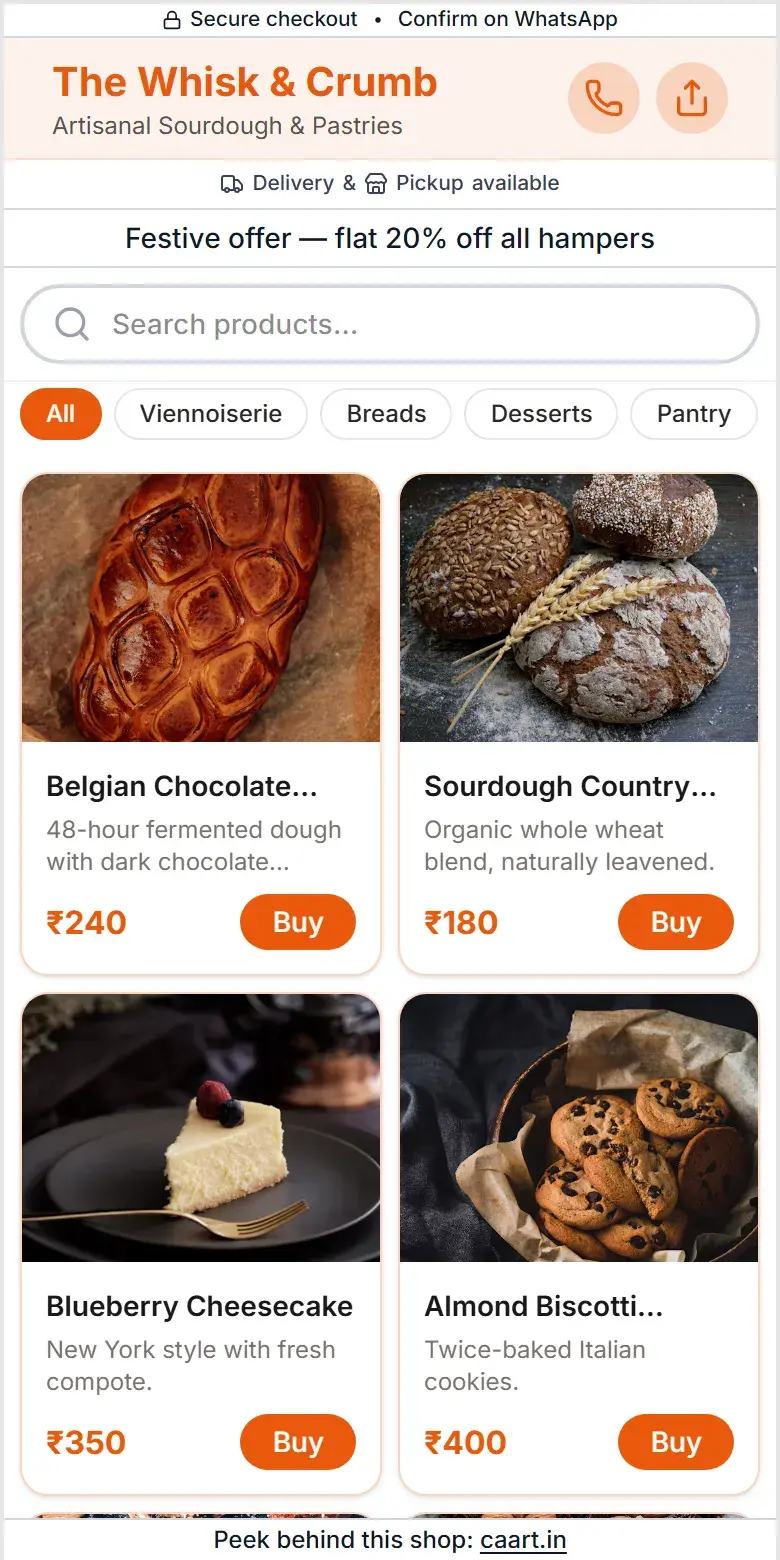
Step 3: Receive orders on WhatsApp
Your customers already have WhatsApp, and you already reply there. Keep it. What changes is the format: instead of piecing an order together from many messages, the customer sends one complete order from your shop. Read how to take orders on WhatsApp without missing any for a simple routine.
Step 4: Decide how customers pay
Most small shops start with UPI and cash, which need no extra setup. Confirm the order first, then send your UPI QR or ID. Details are in how to accept UPI payments for WhatsApp orders.
Step 5: Tell people where to order
Put your link everywhere you already are:
- WhatsApp business profile, greeting message and status
- Instagram bio and stories
- your Google Business Profile website field
- a QR code poster at your counter, and on bags and bills (see how to create a QR code menu)
For the Google side, read how to get your business on Google Search and Maps. If you run a bakery, start with how to take bakery orders on WhatsApp.
What can wait
- Your own app: only worth it once you have many repeat customers who order often.
- Paid ads: try them after your shop and order routine work, so you don't pay to send people to a half-finished page.
- Marketplaces and delivery apps: useful for reaching new customers, but they charge a commission. Compare them in food delivery apps vs your own shop.
Common questions about starting to sell online
How much does it cost to start selling online in India?
You can start for free with the WhatsApp Business app, its catalogue and UPI. A shop builder adds a monthly fee in return for a shop page, cart and complete orders. Marketplaces and delivery apps often have no upfront cost but take a commission on every order, which adds up as you grow. Compare what you would pay in a typical month, not just the starting price.
Should I sell on a marketplace or through my own shop link?
They do different jobs. A marketplace brings new buyers who don't know you yet, for a commission on each sale. Your own shop link is for people who already know you, from WhatsApp, Instagram, Google or your counter, and the full price stays with you. Many small shops use a marketplace to be found and their own link for repeat orders.
How do I get my first online order?
Start with your existing customers. Send your shop link to people who already buy from you, put it in your WhatsApp Status and greeting message, and place a QR poster at your counter. A first order from someone who knows you is far easier than one from a stranger, and it helps you check that your ordering works.
Start this week
caart gives you a shop link with your products, a cart, delivery or pickup at checkout, a QR poster, and orders that arrive on your WhatsApp. There is no app for you or your customers to install, and no commission on orders. See the pricing, browse the demo shops, or create your shop.